

The Mickey Alerts Disney trip planner is now free for everyone, forever. The whole thing, including the optimizer that builds each park day. Not a trial, and not a free tier with the good parts held back.
Why free? Because the planner is the best way to see what Mickey Alerts does. The paid parts are the alerts, the auto-booking and Fast Forward, and you only need those if you want them. No catch, no card.
We think it is the smartest Disney planner there is. It is free now, so you can judge that yourself.
Open the planner without signing in. Your plan stays saved on that browser. When you want it on your account, on another device or in the app, or you want to share it, sign in with a phone number and a texted six-digit code. No email, no password. Signing in never buys anything or starts a trial.
Start with your family
Choose Walt Disney World or Disneyland Resort, your dates, and the adults and children coming along. Trips can be up to 21 days.
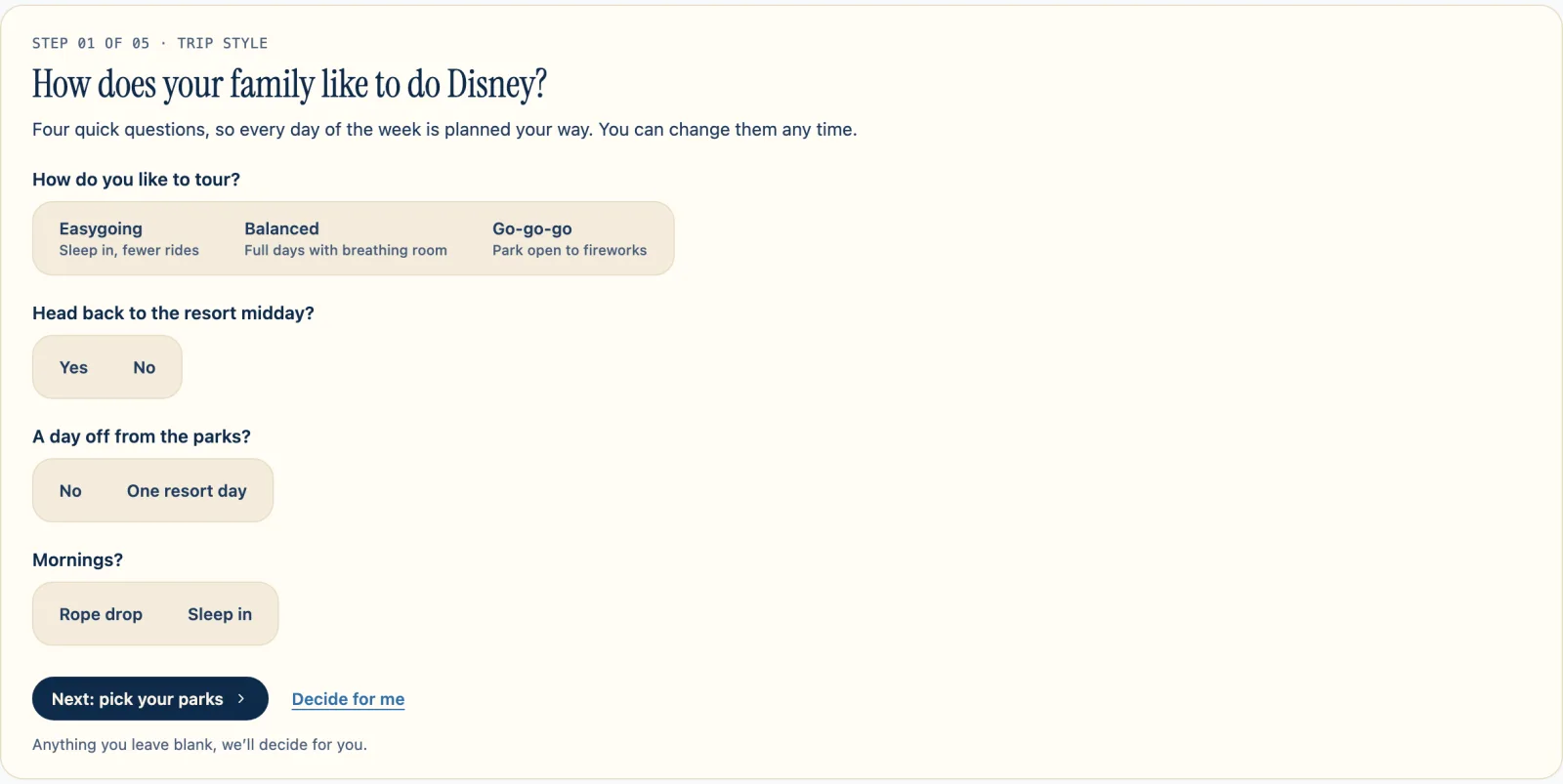
The first of five steps asks four quick questions: your pace, whether you head back to the resort midday, whether you want a day off from the parks, and rope drop versus sleeping in. Leave something blank or choose “Decide for me,” and the planner decides.
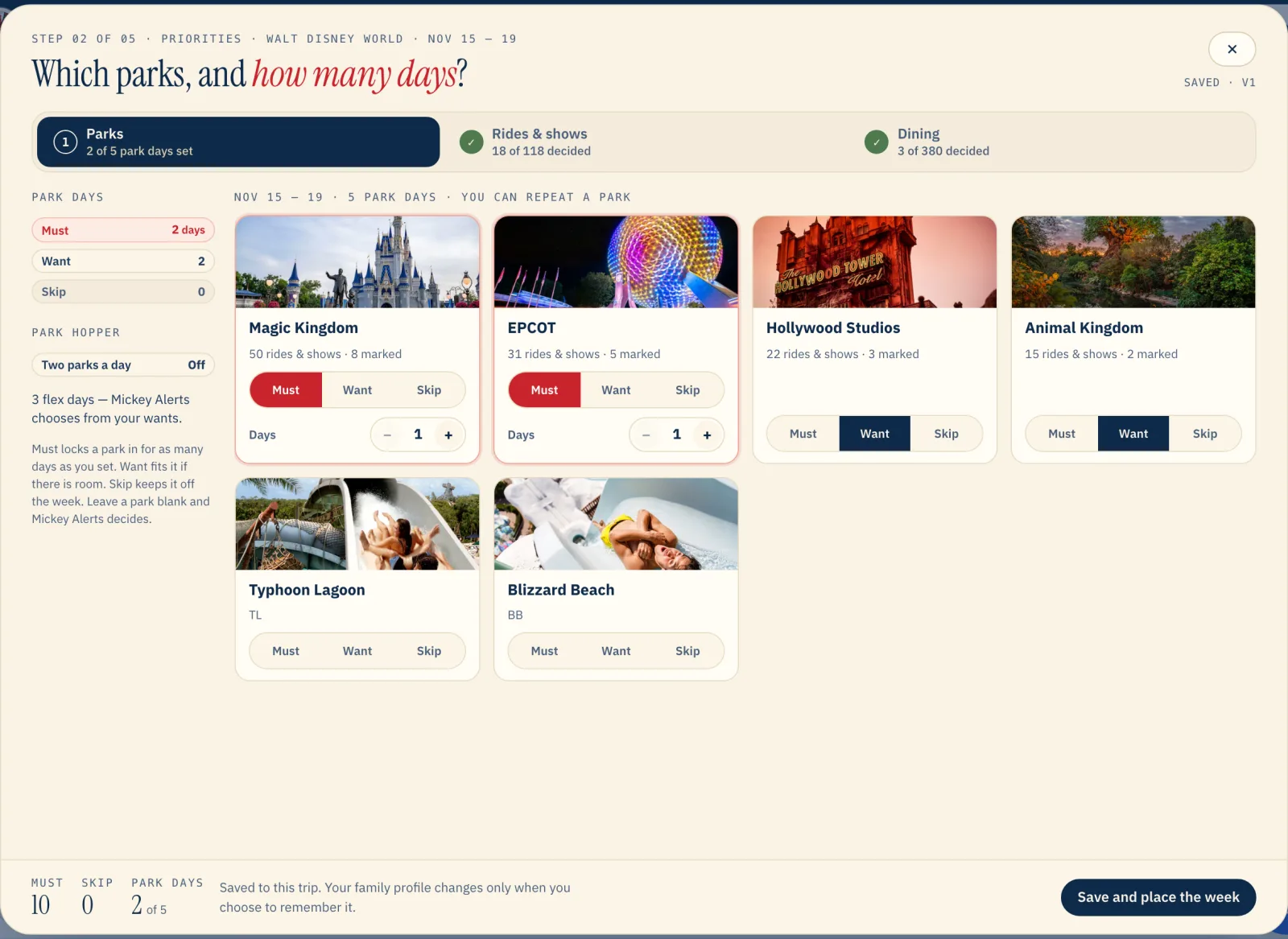
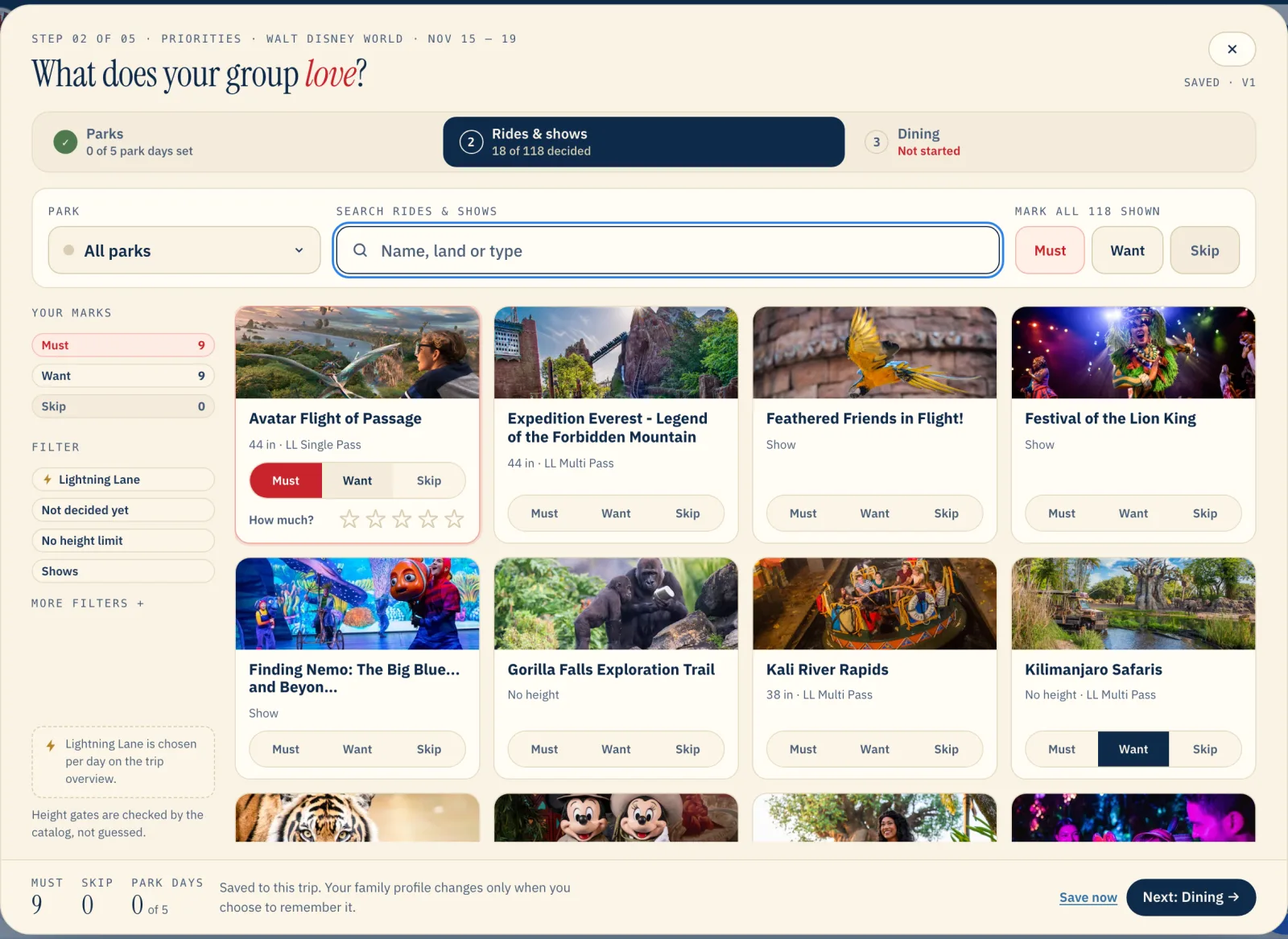
Next, mark parks, rides, shows and dining as Must, Want or Skip. Must locks it in, Want fits it if there’s room, and Skip keeps it off your week. For parks, you also set how many days each one gets.
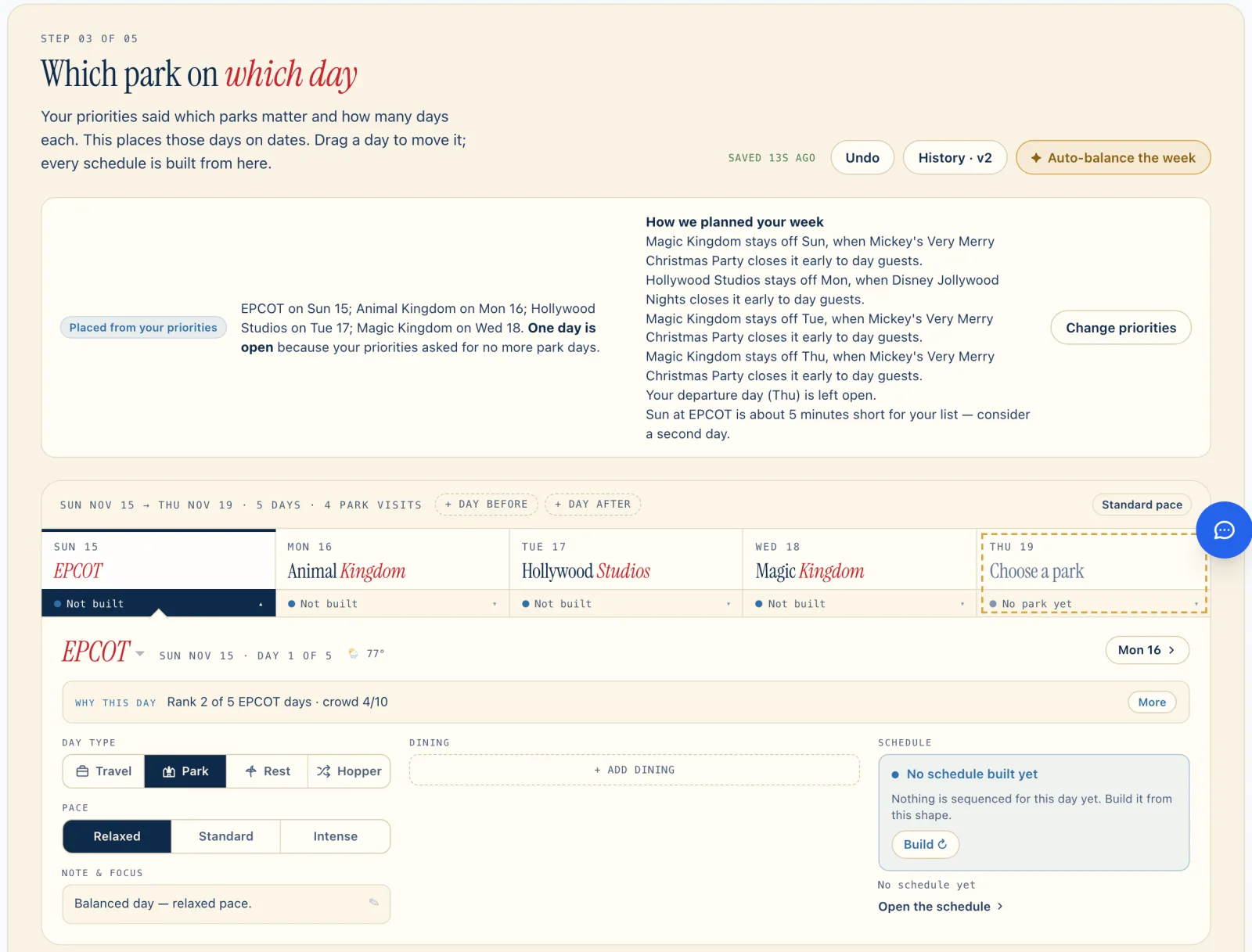
“Save and place the week” puts each park on its lightest-crowd days, honoring your Musts, your resort day and your park-hopper setting. “How we planned your week” explains the choices.
What it uses to plan
We record wait times at every ride at both resorts, every minute, all day. For Slinky Dog Dash at 2 p.m. on a Tuesday, the planner starts with that ride’s typical Tuesday wait for that 15-minute slot. It scales that to the crowd forecast for your date and adds time for rides that break down often.
Those park forecasts are the same ones behind our crowd calendar. Once your parks are placed, the planner works within each park’s hours, including early entry and extended evening hours. It uses posted showtimes when Disney has published them, and the typical same-weekday schedule beyond that.
Getting between stops takes time, too. The planner uses mapped paths with real walking times, plus measured ride and meal durations. Lightning Lane return-time and sell-out predictions help it decide which Lanes are worth it and where they go. The weather forecast shapes the day as well.
The optimizer builds a fast first draft, then searches up to 20,000 variations of the day, scoring waits, walking, Musts and Wants. Park close, locked times and Lightning Lane windows are hard rules. When a few plans come out nearly equal, a judgment model picks the best fit for your family.
Breaks belong in the schedule, including naps for small kids and the resort return you asked for. Height limits, thrill tolerance, strollers and wheelchairs shape it. Every must-do that cannot fit says why.
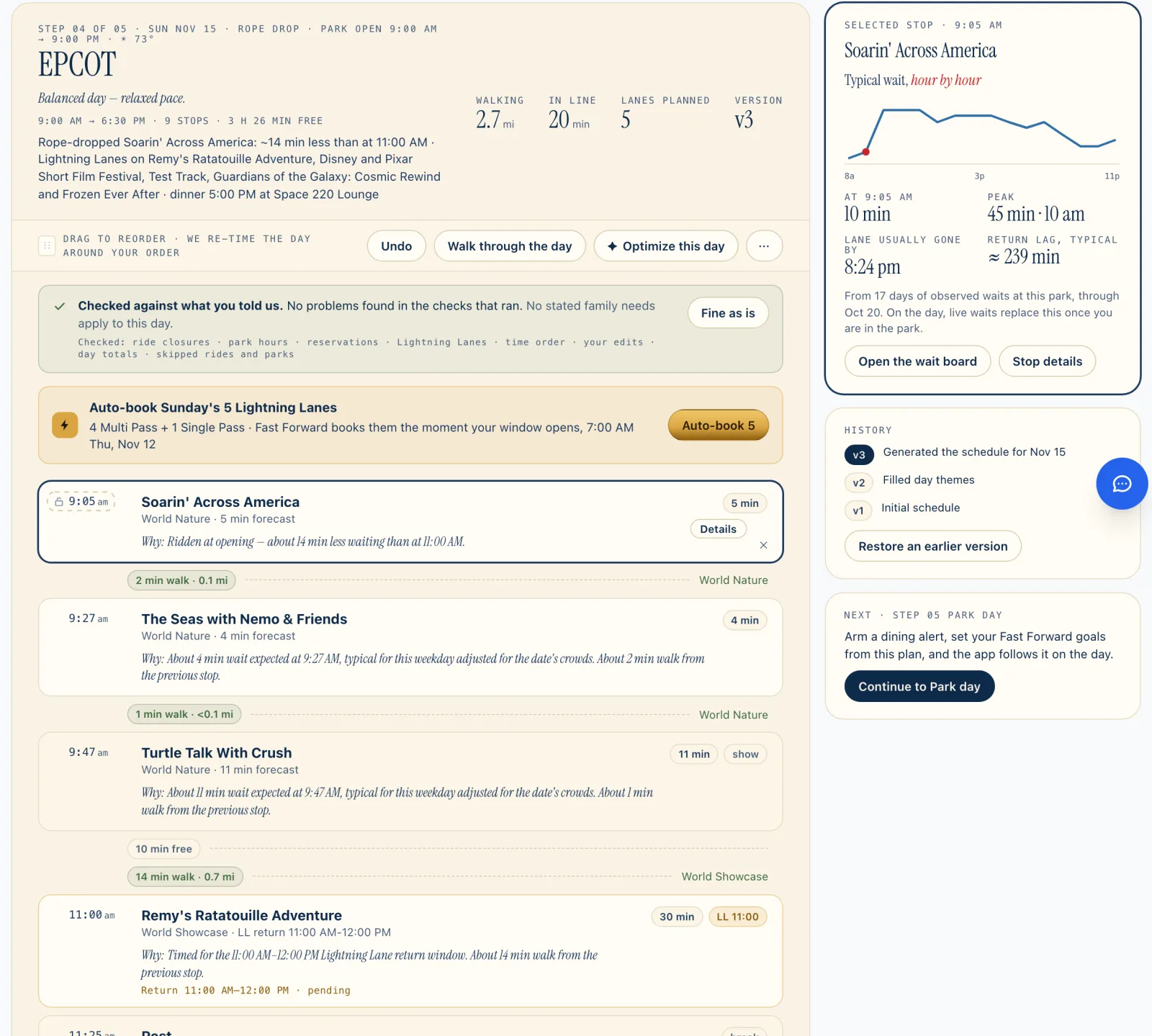
Each stop explains its placement. Add a restaurant and lock its time, re-optimize, and the day rebuilds around it. You can drag stops yourself or go back to an earlier version.
The fifth step, Park day, is a read-only view to take with you, with a calendar export. Once signed in, you can also share a read-only link to the plan that lasts a year.
In the app
The Mickey Alerts app is free on iPhone and Android. Most people build the week on the website and run each park day from the phone. It’s the same plan in both places.
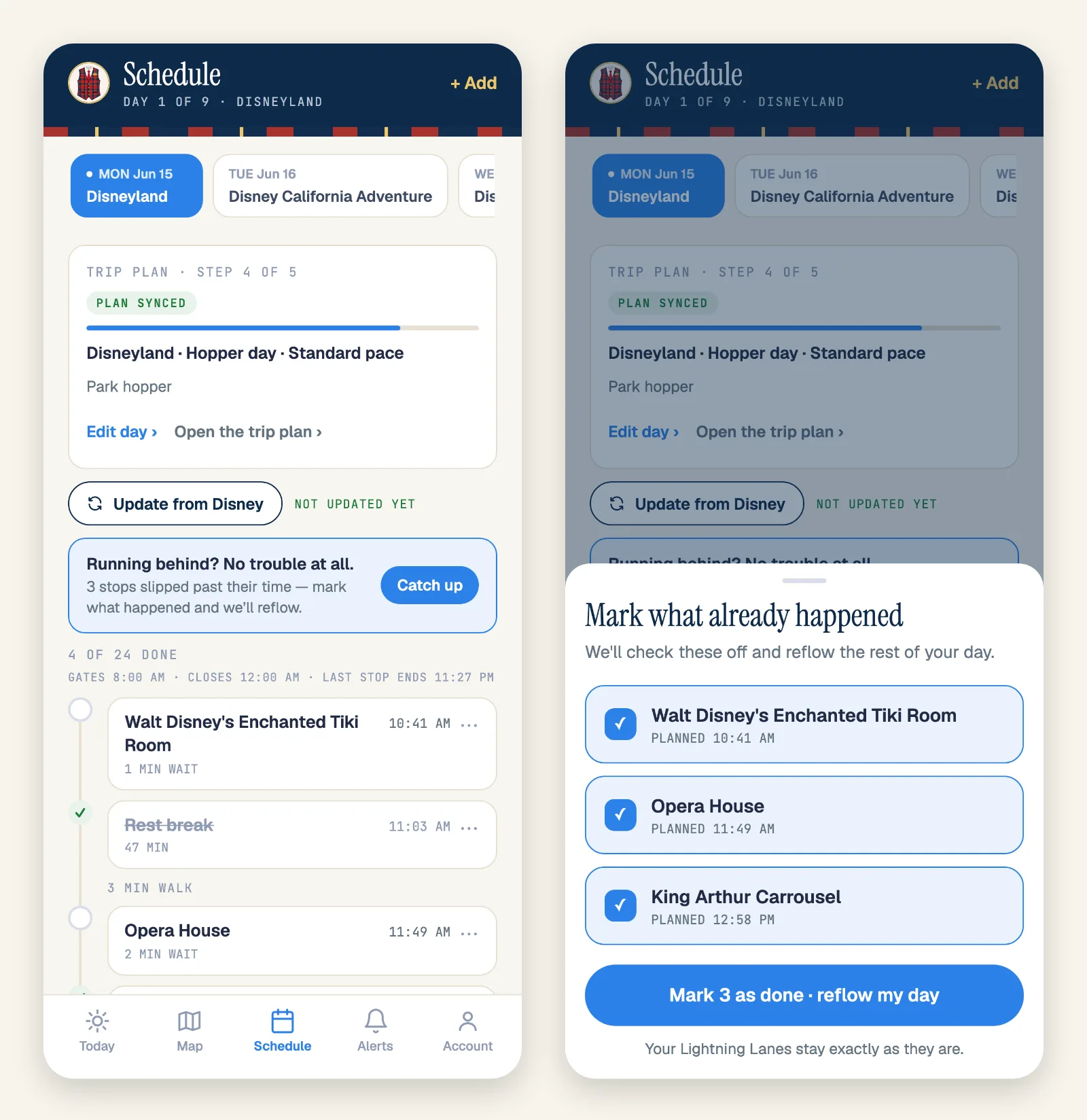
Say lunch runs long. Schedule shows “Running behind? No trouble at all.” Tap “Catch up,” mark what already happened, then tap “Reflow my day.” The rest of the day is re-planned from where you are, around live waits and ride closures. Your Lightning Lanes stay exactly as they are.
On Today, “What do I do next?” ranks your options using live waits, your Lightning Lane return times, your reservations and walking distance. Pick a stop, then use Map for turn-by-turn walking directions.
If you already booked with Disney
With a signed-in account and a connected Disney account, you can start a trip from your Disney plans on the website. On an existing trip, “Update from Disney” works on the website and in the app.
It brings in your dining reservations, the Lightning Lanes you already hold, experiences like Bibbidi Bobbidi Boutique, and park reservations. They arrive as locked stops marked “From Disney,” and the optimizer plans the rest of the day around them. If Disney has you in a different park than your plan does, you choose which to keep.
Update again any time to pick up changed times and drop cancelled bookings. It never duplicates anything and never touches the stops you added yourself. You still change or cancel Disney bookings in Disney’s app.
Fast Forward books the Lightning Lanes
Fast Forward works the Multi Pass Lightning Lanes in your connected Disney account so you don’t have to. Choosing and scheduling those Lanes in the planner is free; the automatic booking is the paid part.
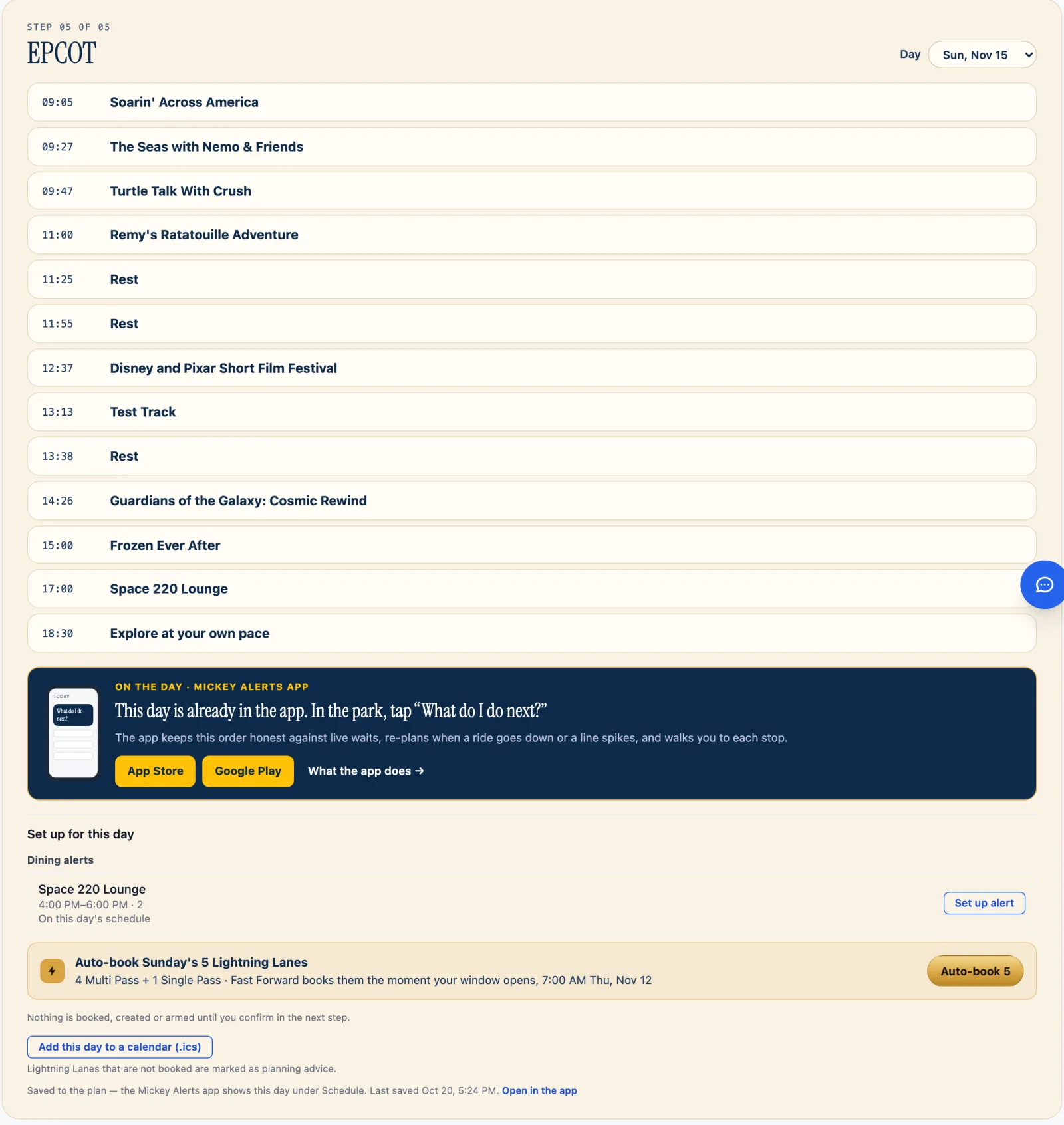
Add Multi Pass to your tickets through Disney as usual. Fast Forward books your picks the moment your window opens, keeps moving them to earlier return times all day for your whole party, and books the next one when you check in at a ride. It doesn’t book Single Pass; it texts you when that window opens.
Each Schedule day can send its picks to Fast Forward in one tap. Pricing is on the Fast Forward page. The planner itself never needs a pass.
Your alerts and your plan, together
Mickey Alerts started with a text when a hotel room, a dining reservation, a DVC villa, a discount or an experience opens up, plus auto-booking for dining and several experiences.
A trip ties those alerts to your plan. Link an alert to the trip and its dates and party are filled in for you. When a linked dining alert auto-books a table, the reservation lands on the right day as a fixed stop, and the day is planned around it.
“Set up alert” on the Park day step starts a dining alert for a table that’s in your plan but not booked yet. Hotel alerts start from the dashboard.
Alerts need a Mickey Alerts plan, and there’s a free trial. Auto-booking is part of The Club. Nothing is armed until you confirm it.
I’m proud to open this up to everyone. Open the planner and tell it what matters to your family.